Leasing Chatbot Knowledge Base: AI-Built Q&A
Narasimhan Vallur | 2026-11-10
Last updated: November 13, 2026
A leasing chatbot knowledge base is the set of answers your AI gives renters about pets, parking, fees, utilities, move-in and move-out. You don't have to write it word for word. Your lease, addenda and policy documents already contain the answers. LOFTx.ai reads those documents, however long they are, and drafts targeted Q&A for each policy topic. It prefills the different ways renters ask each question, and holds back anything doubtful for your team to review. Once approved, the same answers are used everywhere the assistant answers.
This guide explains how that works:
- what the AI reads, and what it ignores
- the policy topics it looks for
- the checks that run before anything reaches a renter
- what your team reviews
It's written for property managers and leasing teams who'd rather review answers than write them.
How LOFTx.ai builds your leasing chatbot knowledge base
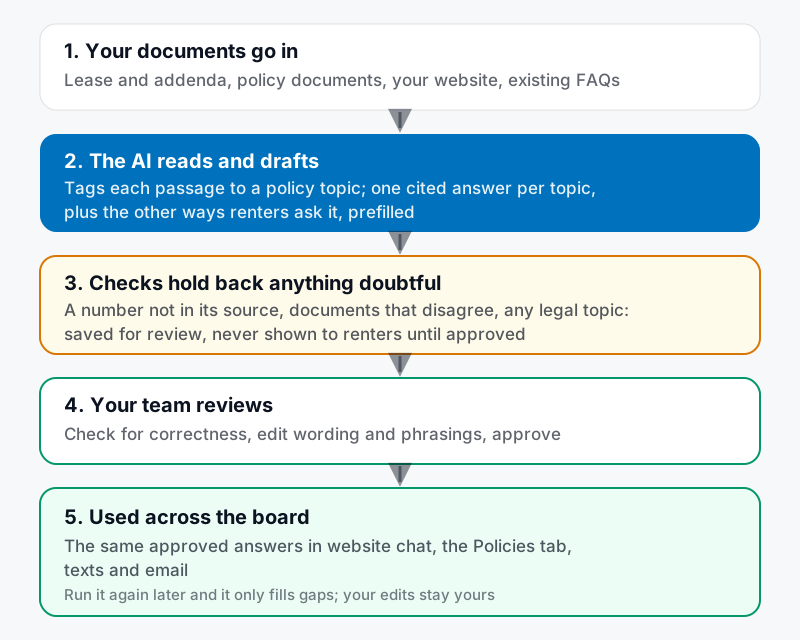
From your documents to approved answers. You review; you don't write.
- Your documents go in: the lease and its addenda, your policy documents, your website and any FAQs you already have.
- The AI reads and drafts. It tags each passage to a policy topic, such as pet fees, garage parking or notice to vacate, and drafts one answer per topic that cites the passages it came from.
- It fills in the questions too. Each answer comes with the different ways renters ask it. "Dog deposit", "pet rent" and "is there a pet fee" all reach the pet fees answer. Passages that don't fit a standard topic become extra questions of their own.
- Checks hold back anything doubtful. Answers that fail a check are saved for review, and never shown to renters until someone approves them.
- Your team reviews: check for correctness, edit the wording or the phrasings, and approve.
- Approved answers are used across the board: in website chat, in the Messenger's Policies tab, and in text and email replies.
What the AI reads, and what it ignores
It reads your property's own content: the lease and addenda, policy documents, community rules, your website and existing FAQs. Long documents are fine. That's the point.
It ignores:
- Unit-level listing data. Prices, availability and specials come from live data in your property management system (PMS), not from a document that may be out of date.
- General reference documents, such as a city renter's handbook or a general mold guide. Those state the city's or the agency's rules, not your property's policy. A lease's own mold addendum is your policy, and it's kept.
The policy topics it looks for
The AI looks for 27 topics in nine categories, the questions renters ask most before signing a lease:
| Category | Topics |
|---|---|
| Move-in costs | Due at move-in, application fee, lease terms, move-in specials |
| Pets | Pets allowed, pet fees, assistance animals |
| Parking & storage | Garage parking, bike storage, storage units |
| Utilities | Which utilities, utility billing, internet |
| Rent & payments | Rent due date and late fee, payment methods |
| Maintenance | Maintenance requests, emergencies |
| Community rules | Quiet hours, amenity access, smoking |
| Move-out | Notice to vacate, deposit return, breaking a lease |
| Legal & privacy | Fair housing, screening criteria, privacy policy, tenant notices |
Anything else your documents answer clearly becomes an extra question under "More questions".
Checks before anything reaches a renter
The AI drafts. It doesn't publish anything doubtful on its own:
- Every number must appear in a source. Every dollar amount, number and time period in an answer has to appear in a passage the answer cites. If it doesn't, the answer waits for review.
- Conflicting documents are flagged. If two documents disagree, say an old addendum and a new one, the answer defaults to the newest document and is held for your review.
- Legal & privacy always gets a person. Every answer in that category needs a person's approval, however confident the AI is.
- Some answers are never generated:
- Your fair housing statement is fixed copy that you control.
- Screening criteria are answered with a link to your written criteria, never restated.
- Move-in specials come from live vacancy data.
- Nothing waiting for review is used. It appears in your Knowledge Base for review, and renters never see it until it's approved.
What your team reviews
Your review is a check, not a writing project. For each topic:
- Is the answer correct, and current?
- Does every amount match your lease or fee schedule?
- Are the prefilled phrasings ones your renters would actually use? Add or remove any.
- For legal topics, has the right person signed off?
The Messenger settings show where you stand: how many policy answers are live, how many are waiting for review, and which topics have no answer yet.
Download the policy Q&A review checklist (CSV): the 27 topics, what the AI looks for in your documents, what to check, and which topics need legal sign-off. It opens in Excel or Google Sheets.
Built once, then yours
Once your team has reviewed the answers, they're yours. Running the build again later, after you upload a new addendum for example, only fills gaps. It never changes an answer your team has already approved or edited, and it skips any question a hand-written FAQ already covers.
For company websites with many buildings
On a company website, the same process runs over your company-wide documents. A policy is used for every building only when all the buildings agree. When they differ, such as pet fees that vary by building, the topic stays with each building instead of becoming a misleading company answer. See multifamily website chatbot for a portfolio.
Used across the board
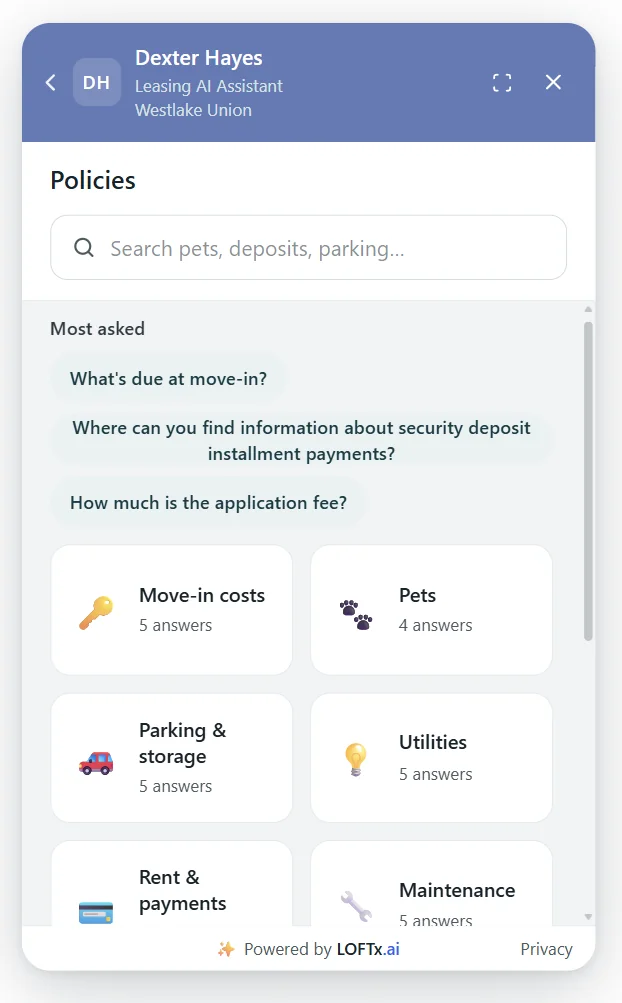
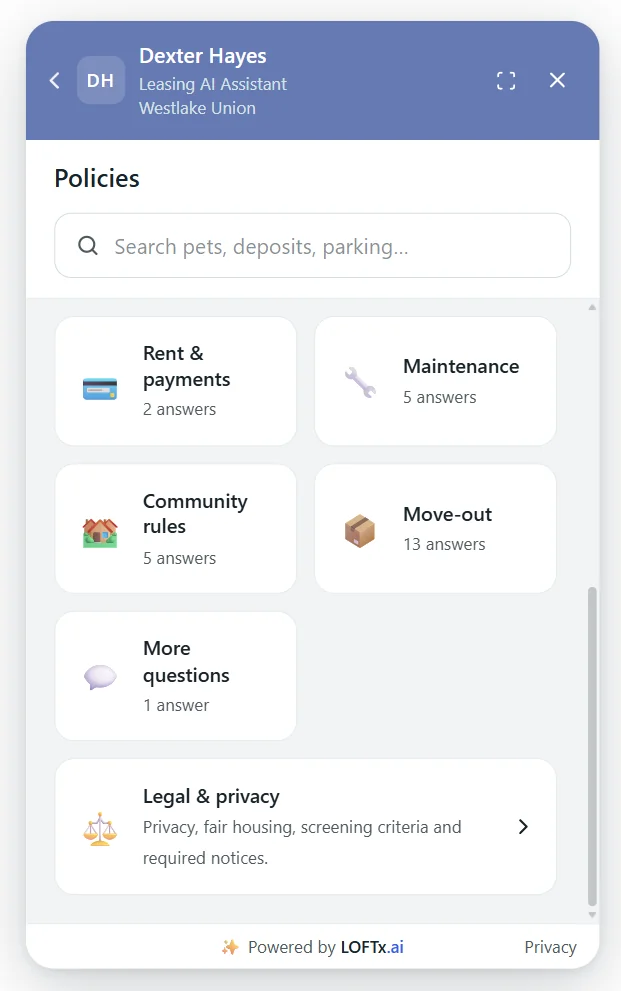
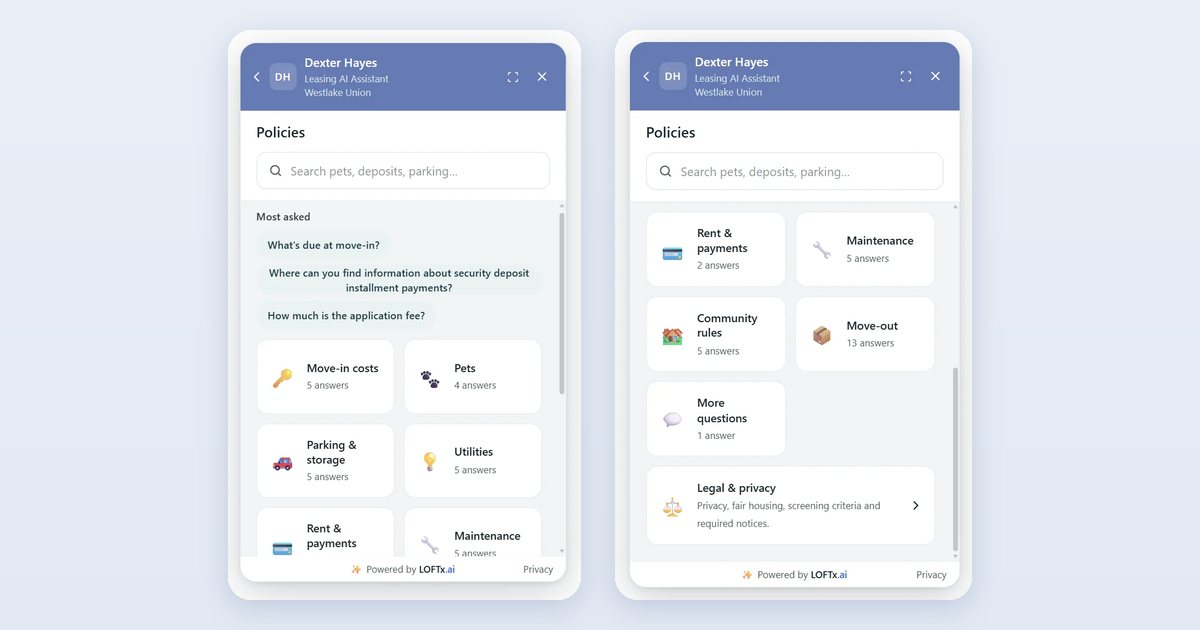
Approved answers, as renters see them: the Policies tab at Dexter Hayes, with each category's number of approved answers. November 2026.
The same approved answer serves the Policies tab, the AI's chat replies, and its text and email replies. Your website never says one thing while the chat says another. Renters can search the Policies tab in their own words, and when something isn't covered, the assistant says so and hands the question to your team.
Why LOFTx.ai for your leasing chatbot knowledge base
- No writing from scratch: the AI reads your lease and policy documents and drafts cited answers for every policy topic.
- Alternative phrasings prefilled, so renters reach the right answer however they ask.
- Built-in checks: numbers must match a source, conflicts are flagged, and legal answers always go to a person.
- Your team stays in control: review, edit, approve, and your changes are never overwritten.
- Live data where it matters: prices, availability and specials from your PMS. That covers AppFolio, Yardi, Rent Manager, Rentvine, MRI, RealPage and Buildium, plus PMS platforms with an open API.
- One answer, everywhere: chat, the Policies tab, text and email.
Bring your lease to a free month. Upload your documents, review what the AI drafts, and see your approved answers live. There's no credit card, and nothing renews on its own. Start your free month or book a demo.
Frequently asked questions
Do we have to write the answers ourselves?
No. The AI drafts them from your documents, with the ways renters ask each question. Your team reviews, edits where needed, and approves.
What documents should we provide?
Your lease and addenda, pet, parking and utility policies, community rules, move-in and move-out policies, and any existing FAQs. Your website is read too.
What if our documents disagree with each other?
The answer defaults to the newest document and is held for your review, so you choose which one is right.
Will the AI change answers we've already approved?
No. Once an answer exists, a new build leaves it alone. It only fills topics that are still missing.
Can renters see answers before we approve them?
No. Answers waiting for review are never used for renters.
See your policies turned into answers
Use the 25 property-management FAQ examples to identify gaps, then apply the answer-accuracy review across your buildings.
See how approved answers appear in LoftX website chat.
Start your free month or book a demo, bring your lease and policy documents, and see the AI draft your knowledge base for you to review.