Apartment Website Chatbot: 7 Features to Look For
Narasimhan Vallur | 2026-11-10
Last updated: November 13, 2026
An apartment website chatbot works best when it shows visitors the answers they came for before they have to type anything. Most people looking at a community's website want the same few things: what's available and at what price, how to book a tour, the pet and parking rules, and how to reach the leasing office. A chat bubble that waits for a question leaves all of that hidden.
This article walks through seven things a good apartment website chatbot should show. Each one is illustrated with real screens from the Messenger, the LOFTx.ai website chat, as it runs today on the website of Dexter Hayes, an apartment community at 1701 Dexter Ave N in Seattle. It's written for property managers and marketing teams deciding what their community's website chat should look like.
1. An ask box, with a hint of what to ask
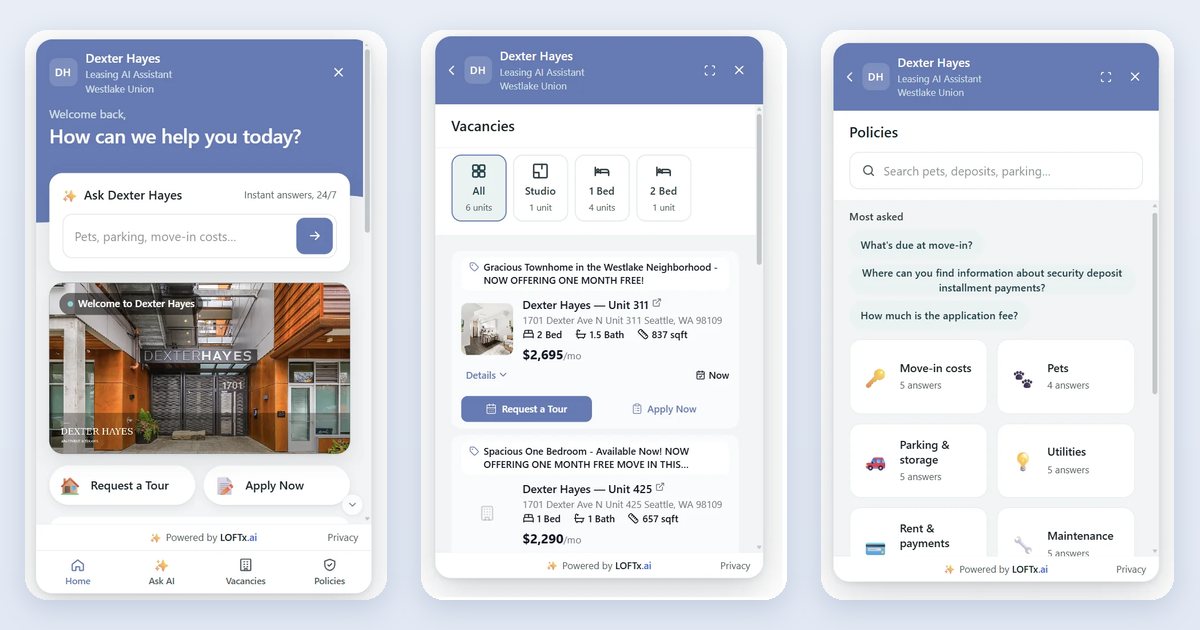
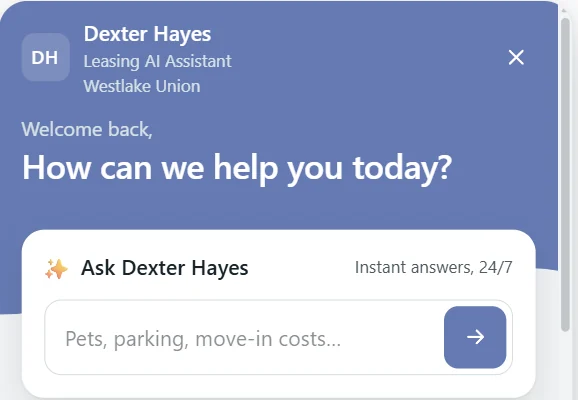
The first thing a visitor sees should invite a question, and suggest what kind. At Dexter Hayes, Home opens with "How can we help you today?" and an ask box labeled "Ask Dexter Hayes · Instant answers, 24/7". Its placeholder, "Pets, parking, move-in costs…", tells visitors what the assistant is good for before they type.
Screenshots of the Messenger at Dexter Hayes, November 2026. Units, prices and specials change.
Why it matters: a blank chat window makes visitors guess. A hint shows them which questions get instant answers.
2. Tours and applications, one tap away
The two actions that lead to a lease should never be more than one tap away. Under the community's welcome video, Home shows Request a Tour and Apply Now side by side. Each runs the way the property set it up, such as booking on the leasing team's calendar or opening the application.
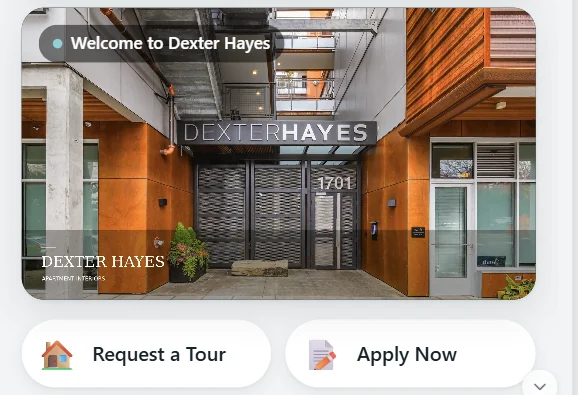
The welcome video, with the two main actions right below it.
3. Live units, with prices and specials
Visitors want to know what's actually available, at what price. An apartment website chatbot should show real units from the property management system (PMS), not a list someone typed in last month.
At Dexter Hayes, Home lists featured units under "Available now", and the Vacancies tab shows every available unit:
- A floor-plan filter shows how many units each plan has: All, Studio, 1 Bed, 2 Bed.
- Each unit card shows:
- the listing headline, including the current special
- the address, beds, baths and size
- the price and availability date
- its own Request a Tour and Apply Now buttons
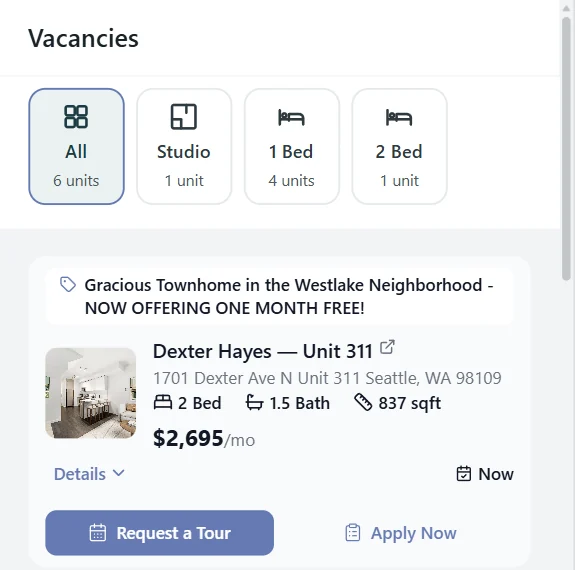
Screenshots of the Messenger at Dexter Hayes, November 2026. Units, prices and specials change.
4. Shortcuts for the questions everyone asks
Some questions come up on almost every visit. Turning them into one-tap shortcuts saves visitors from typing them. Under "Explore the property", Dexter Hayes shows:
- Contact Us
- View Pricing
- Move-in Special
- Amenities
- Pet Policy
- Neighborhood
Each shortcut runs exactly as the same button does in the chat.
5. Amenities at a glance
A short row of tags tells visitors more, faster, than a paragraph. "Life at Dexter Hayes" lists the building's amenities:
- rooftop deck
- clubhouse
- courtyard
- coffee bar
- fitness center
- bike storage
- package lockers
- garage parking
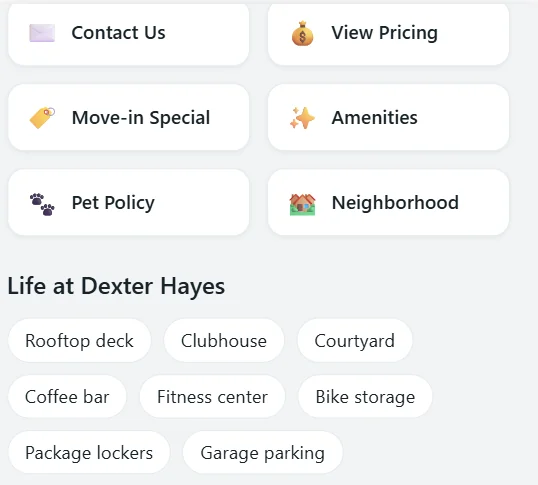
One-tap shortcuts, then the building's amenities as tags.
6. The leasing office, reachable in one tap
When a visitor is ready to talk to a person, they shouldn't have to hunt for a phone number. The leasing office card at Dexter Hayes shows the address, a one-line note on nearby transit routes, and two buttons: Call us and Directions.
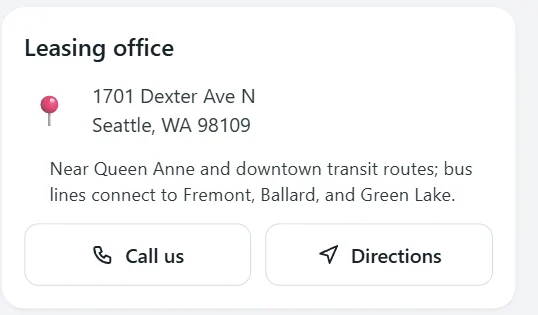
The leasing office card. Anything left empty in the settings, such as office hours, simply doesn't appear.
7. Policies people can browse and search
Pet fees, deposits, parking, utilities and move-out rules are among the most-asked questions, and some visitors would rather read the policy than ask. The Policies tab at Dexter Hayes has:
- a search box ("Search pets, deposits, parking…") that matches different wordings of the same question
- the most-asked questions, such as what's due at move-in and how much the application fee is
- category tiles, each showing how many answers it has: Move-in costs, Pets, Parking & storage, Utilities, Rent & payments, Maintenance, Community rules, Move-out and Legal & privacy
Only answers the leasing team has approved appear here.
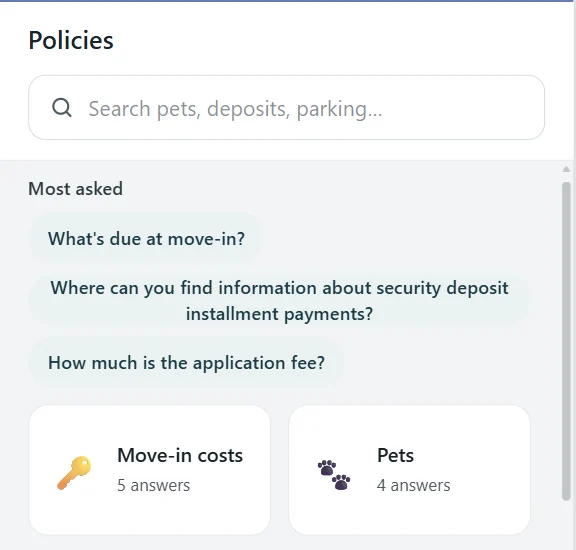
Search, the most-asked questions, and approved answers by category.
Score your apartment website chatbot
Use the seven points as a quick check of the chat on your own community's website:
| Does your website chat… | Yes / no |
|---|---|
| Invite a question, with a hint of what to ask? | |
| Put tours and applications one tap away? | |
| Show live units with prices and specials? | |
| Offer shortcuts for the common questions? | |
| Show amenities at a glance? | |
| Make the leasing office one tap away (call and directions)? | |
| Let visitors browse and search approved policies? |
And for anything the screens don't cover, the full AI chat is still one tab away. At Dexter Hayes, the Ask AI tab answers from the property's data and knowledge base, and books tours on real calendar availability.
How it's set up
Everything above comes from content the leasing team already maintains:
- Units and prices come from the PMS.
- Policies are approved answers in the knowledge base.
- The amenities, office card and video come from the Messenger's settings.
The Messenger uses the same embed script as the classic LOFTx.ai chat, so the property's website doesn't change. For the settings, step by step, see our chatbot for property management websites walkthrough. For a company website that covers many buildings, see multifamily website chatbot for a portfolio.
Frequently asked questions
Does a tabbed website chat replace the chatbot?
No. The tabs sit alongside the full chat. Visitors who'd rather browse use Home, Vacancies and Policies; visitors who'd rather ask use Ask AI. The conversation stays put when they switch tabs.
Where do the units and prices come from?
From the property management system, so they match what the leasing team is offering. The screenshots in this article are a snapshot from November 2026. Units, prices and specials change.
What if we don't have a welcome video or office hours to show?
Leave them empty. The Messenger hides anything without content, rather than showing an empty box.
Does it work on phones?
Yes. On a phone, the Messenger opens full screen, with the four tabs along the bottom.
See it on your community's website
Explore LoftX website chat to see the messenger these examples come from.
Make the next step easy for renters already browsing your community. Book a demo to explore units, policies and tour buttons in the Messenger. Ready to plan installation? Use our website chatbot setup guide.