Property Management Chatbot Use Cases: Three Audiences
Narasimhan Vallur | 2026-11-10
Last updated: November 13, 2026
A property management website serves three very different visitors: prospective renters looking for a home, existing residents with a question, and property owners looking for a manager. The best property management website chatbot use cases start there. One chat recognizes who's asking, gives each visitor the right answer, and sends them to the right team. Here are three example journeys, what each visitor needs, and how one chat handles all of them. It's written for property management companies whose website has to work for everyone.
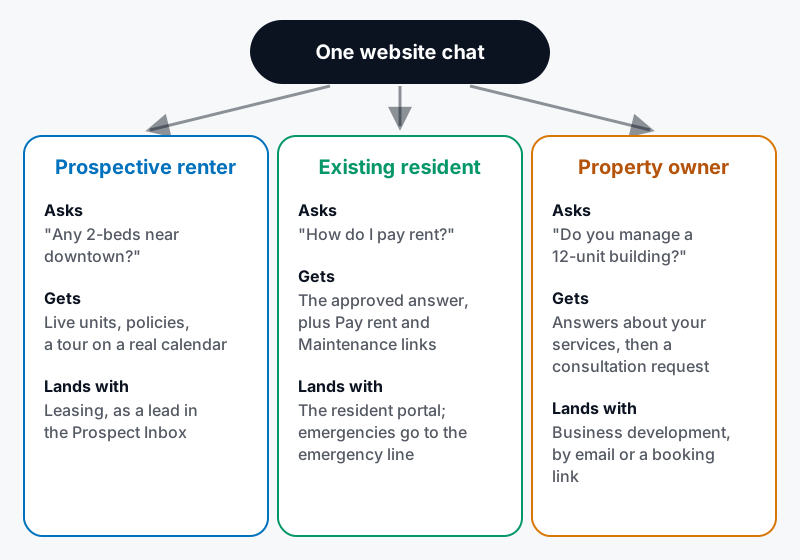
Three visitors, one chat, three destinations.
Journey 1: the prospective renter
Visitor: Do you have any 2-bedrooms near downtown under $2,500? Chatbot: Yes, here are three available now, with photos and prices. Would you like to see one this week? Visitor: The second one, Saturday afternoon. Chatbot: I can do Saturday at 1:30 or 3:00. Which works?
Example conversation, for illustration. It isn't a real transcript.
- Information collected: name, phone or email, the unit, the tour time, and answers to your qualifying questions.
- Next step: a tour booked on a real calendar. The lead goes to the leasing team's inbox.
Journey 2: the existing resident
Visitor: I'm a resident. How do I pay rent? Chatbot: You can pay through the resident portal by bank transfer or card. Here's the Pay rent link. Visitor: Also, my dishwasher isn't draining. Chatbot: Please submit a maintenance request here. If you have water on the floor or another emergency, call the emergency line now.
Example conversation, for illustration. It isn't a real transcript.
- Information collected: usually none. Residents need directions, not a lead form.
- Next step: the resident portal for payments and maintenance requests, or the emergency line for anything urgent. Account-specific questions belong in the portal. See chatbot vs. resident portal.
Journey 3: the property owner
Visitor: Do you manage small buildings? I own 12 units in Ballard. Chatbot: Yes, we manage residential buildings across the Seattle area. Would you like to book a consultation with our team?
Example conversation, for illustration. It isn't a real transcript.
- Information collected: name, email, phone, property area, number of units and services needed.
- Next step: a consultation, by lead form or booking link, sent to business development. See how a website chatbot captures property owner leads.
How one chat serves all three
| Visitor | Answers come from | Next step | Goes to |
|---|---|---|---|
| Prospective renter | Live units and prices from your PMS; approved policies | Tour or application | Leasing inbox |
| Existing resident | Approved policies (rent, maintenance, emergencies) | Portal links or emergency line | Resident portal / on-call |
| Property owner | Your published services | Consultation | Business development |
How LOFTx.ai sets this up
- Renters: live units, tours on real calendars, and applications, all in the Prospect Inbox.
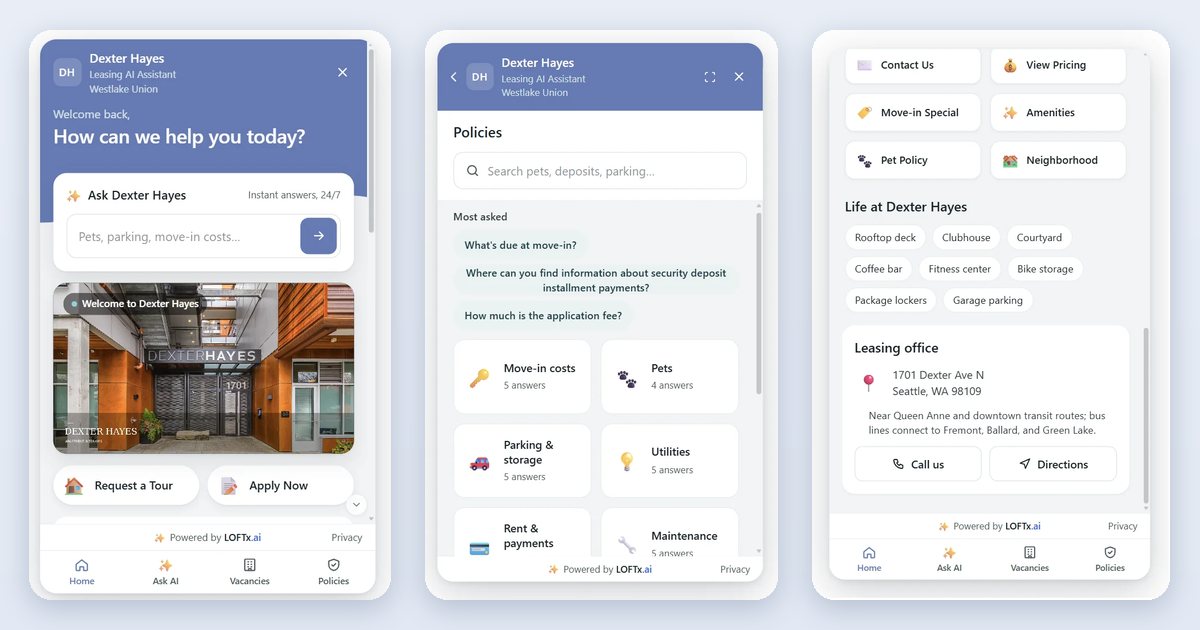
- Residents: approved answers for rent payments, maintenance requests and emergencies. The Messenger can also show "Residents: Pay rent · Maintenance request" links on its Home screen.
- Owners: a "Property owners" button set up as an email lead form or a HubSpot Meetings booking link.
- One install: one script tag on your company website. For a portfolio, one chat covers every building. See multifamily website chatbot for a portfolio.
Configure actions by audience. A renter can explore a unit, a resident can find an approved policy answer, and an owner can open a lead form or meeting link. Each action should send the visitor to the information or team responsible for that request.
Why LOFTx.ai for a whole-company website
- One chat, three audiences, each sent to the right place.
- Answers you approve, drafted by AI from your documents and website.
- Live takeover for any conversation that needs a person.
- Deep, granular analytics show what each audience asks.
- Works with your PMS: AppFolio, Yardi, Rent Manager, Rentvine, MRI, RealPage and Buildium, plus PMS platforms with an open API.
Frequently asked questions
How does the chatbot know who it's talking to?
From what the visitor asks, and from the buttons they choose. A "Property owners" button or a "Residents" link makes the path explicit.
Can residents see their balance in the chat?
No. Account-specific information belongs in your resident portal. The chat links residents there.
Do we need separate chatbots for each audience?
No. One chat covers all three, with different buttons and answers for each.
Serve every visitor from one chat
The website chat product provides the messenger used for these visitor paths.
Start your free month or book a demo, and see renters, residents and owners each reach the right place on your own website.