PMS Resident Notice Automation with Loftx
Narasimhan Vallur | 2026-11-10
Last updated: November 10, 2026
PMS resident notice automation starts with the information your team already maintains: properties, residents, leases and charges. LOFTx.ai supports multiple property management systems and brings configured compliance checks and notice tracking into the operating process around that data.
The value is a more consistent handoff between source information, the proposed change and the resident communication. Start with your PMS and the data your organization needs; this workflow is not exclusive to a particular PMS brand.
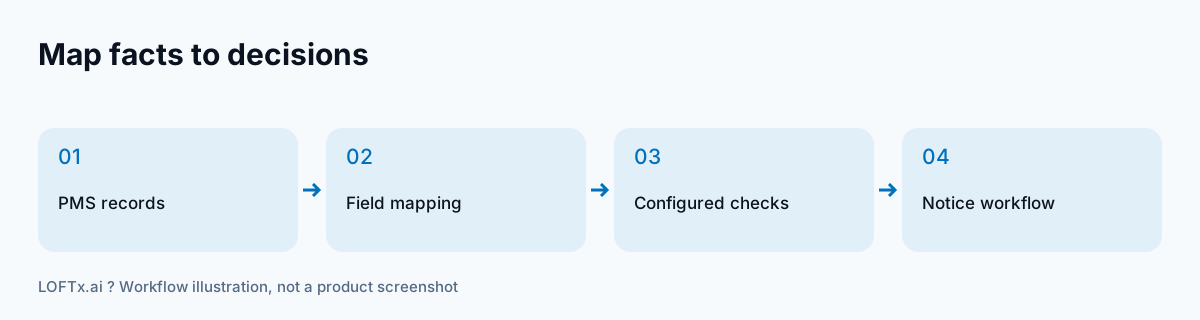
Start PMS resident notice automation with a data map
Before evaluating a template or a send button, identify where each fact comes from. A reviewer should be able to answer “Where do we correct this?” when a lease date or charge is wrong.
| Information | Setup question |
|---|---|
| Property and unit | How are records matched across the connection? |
| Resident details | Which contact and tenancy fields are available? |
| Lease dates | Which dates drive your notice planning? |
| Current charges | Are recurring charges available as separate items? |
| Proposed terms | Where does your team review and authorize changes? |
PMS support does not mean every connector exposes identical fields. Confirm data coverage, update behavior and any write-back scope for your particular connection rather than assuming that a feature name guarantees the complete workflow.
Add the compliance context
Loftx’s Compliance AI lets your team configure rent-and-fee caps, assign properties to rules and track renewal notice deadlines. The source system supplies operating facts; your compliance configuration supplies the rules used to check the proposed change.
Keep those responsibilities clear. Correcting a resident record is different from changing a property’s rule. A successful implementation gives the team a known place for each correction and a review process before the next communication.
Test a representative lease before scaling
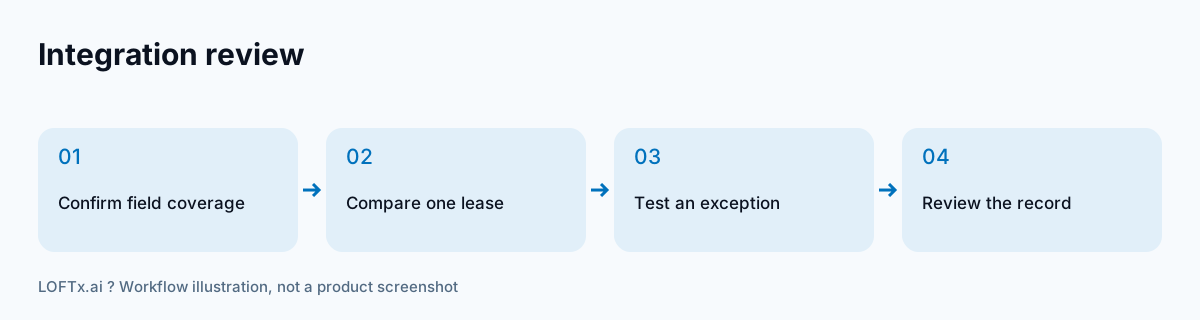
Use a sample lease with more than just base rent. Include a recurring charge and a renewal option your team actually uses. Compare the source records with the proposal, the relevant configured cap and the calculated notice deadline.
Then test an exception: an incomplete field, a changed proposal or a lease that needs manual review. Ask the Loftx team to demonstrate the notice preparation and approval options enabled for your organization. A useful walkthrough shows how a person resolves the issue, not just how a clean record moves forward.
Make delivery records part of the handoff
Loftx’s documented notice log records the date, method and sender. Decide how that operational record fits with the evidence your team retains for the actual notice type. The resident notice tracking guide explains which questions the record should answer.
Define which data is populated, which checks run, which decisions remain with the team and which actions require authorization. That gives both the operations team and the implementation team a concrete scope to validate. It also makes an integration discussion more productive than a blanket request to automate everything.
See the workflow with your PMS
Bring your PMS name, a sample lease, recurring charges and the notice process you use today. Book a Loftx demo to review the supported connection and notice workflow for your portfolio.